Guests and RSVPs
How do I add guests?
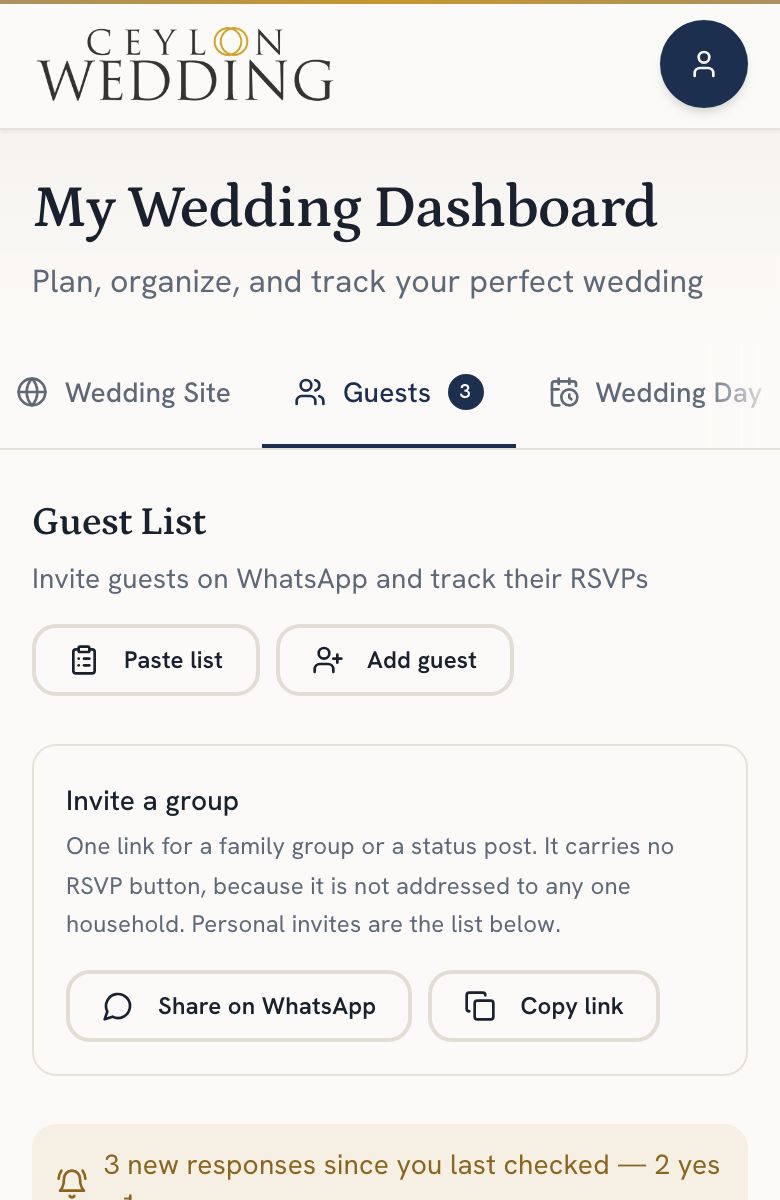
Open Guests on your dashboard. Add households one at a time, or paste a whole list as name, phone, party size. Phone numbers written the local way are tidied for you, and duplicates are flagged before they are added.
Guests are counted by household, which is how invitations work here. One row is one household, with the number of people it covers. The Guests tab opens once your wedding page has an address: if it says Set up your wedding site first, do that on the Wedding Site tab.
Step by step
- Open Guests on your dashboard.
- Tap Add guest for one household: a name, a WhatsApp number and how many people. Or tap Paste list and paste them all, one household per line as name, phone, party size. The phone and the party size can be left out.
- Check what the editor found. Possible duplicates are skipped unless you choose Add anyway.
- Tap Invite beside a household to send their invitation on WhatsApp, or Send invites to go through everyone, one message at a time.
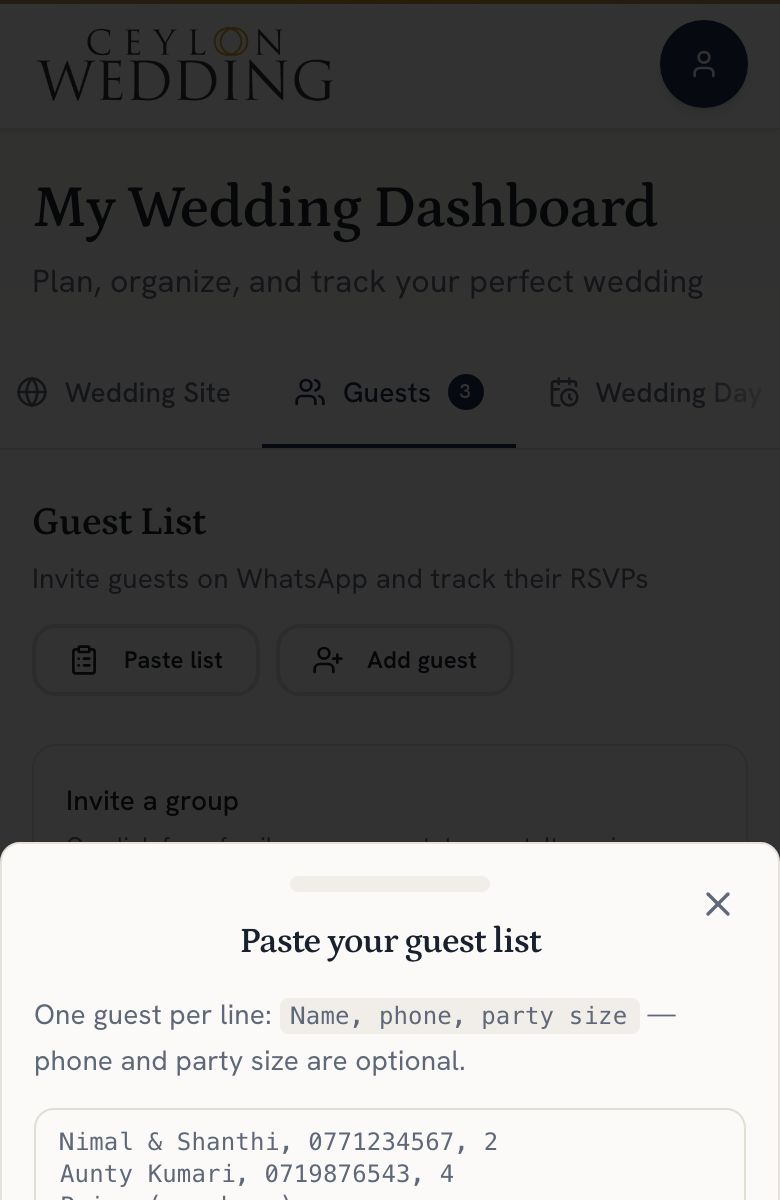
Write numbers however you have them. 077 123 4567 is saved as +94771234567, and numbers from abroad that start with + or 00 work for family overseas.
Sending invitations
Every household has its own RSVP link. The WhatsApp message carries their invitation: your names, the date, the time and the venue, with a button to reply and one to add the day to their calendar. Send it as it is, or change the words in WhatsApp first.
Invite a group shares the same invitation without a reply button, for a family chat. Each household still replies through its own link.