Getting listed
How do I claim a listing that is already on the site?
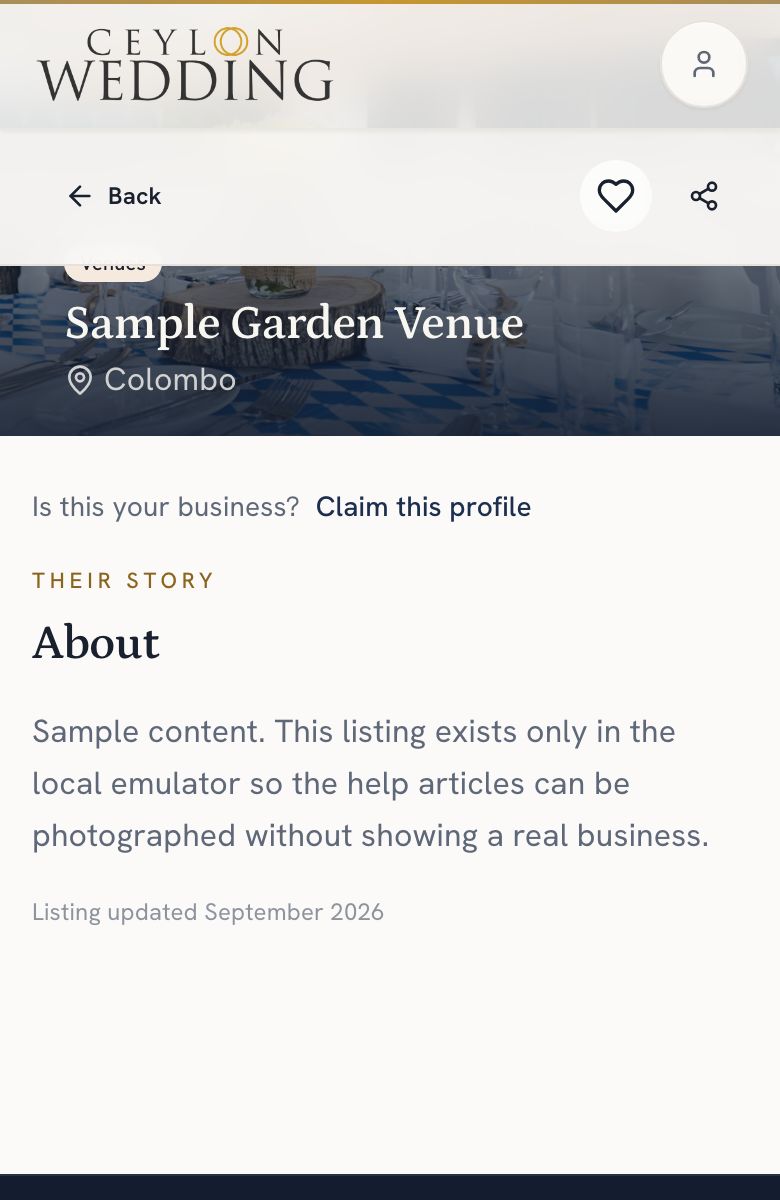
Open the listing, tap Claim this profile, and tell us who you are: your name, a business email, your relationship to the business, proof that it is yours, and the term you want. A person checks it and emails you the bank details. The day your transfer lands, the listing and its enquiries are yours.
We listed some businesses ourselves so couples had somewhere to look on day one. That is not a membership: the contact buttons stay off and enquiries are held until the listing is claimed and the business joins. Claiming one puts it under your control, and starts your membership: LKR 7,500 a quarter or LKR 24,000 a year, by bank transfer.
Step by step
- Sign in, or sign up as a vendor.
- Open the listing and tap Claim this profile, just below the cover photo.
- Tell us who you are: your name, a business email, your role in the business and proof that it is yours.
- Choose a term, quarterly or annual, and send it. The status shows on your dashboard, under List your business, until a person has checked it.
- We email you the bank details. Transfer the amount for your term and quote the reference in the email.
What we ask for
- Your full name and a business email address.
- Your role: owner, co-owner, managing director, general manager, marketing manager, or an authorised representative.
- Proof that the business is yours. Describe it in the box. A registration number, links to documents and your official social media pages all help.
- Which term you want. You can change it later by asking us.
Claims are checked by a person, because approving the wrong one would hand a real business to a stranger. You can see the status of your claim from your dashboard, and if we need more information it says so there.
The day your transfer lands, the listing is yours to edit, its WhatsApp and Call buttons switch on for couples, and the enquiries couples sent while it was unclaimed reach you in full. The change appears without signing out and back in.