Finding and contacting vendors
What happens when I save a vendor?
They join your shortlist on the dashboard, with a status you move from Shortlisted to Contacted, Quoted and Booked, plus the quoted price, the deposit paid and a private note only you can read.
Saving a vendor puts them on the Saved tab of your dashboard. It is a tracker, not a list of hearts.
Step by step
- Tap the heart on a vendor or on one of their albums.
- Open Saved on your dashboard.
- Move each vendor along as things happen, and write in the quote and the deposit once you have them.
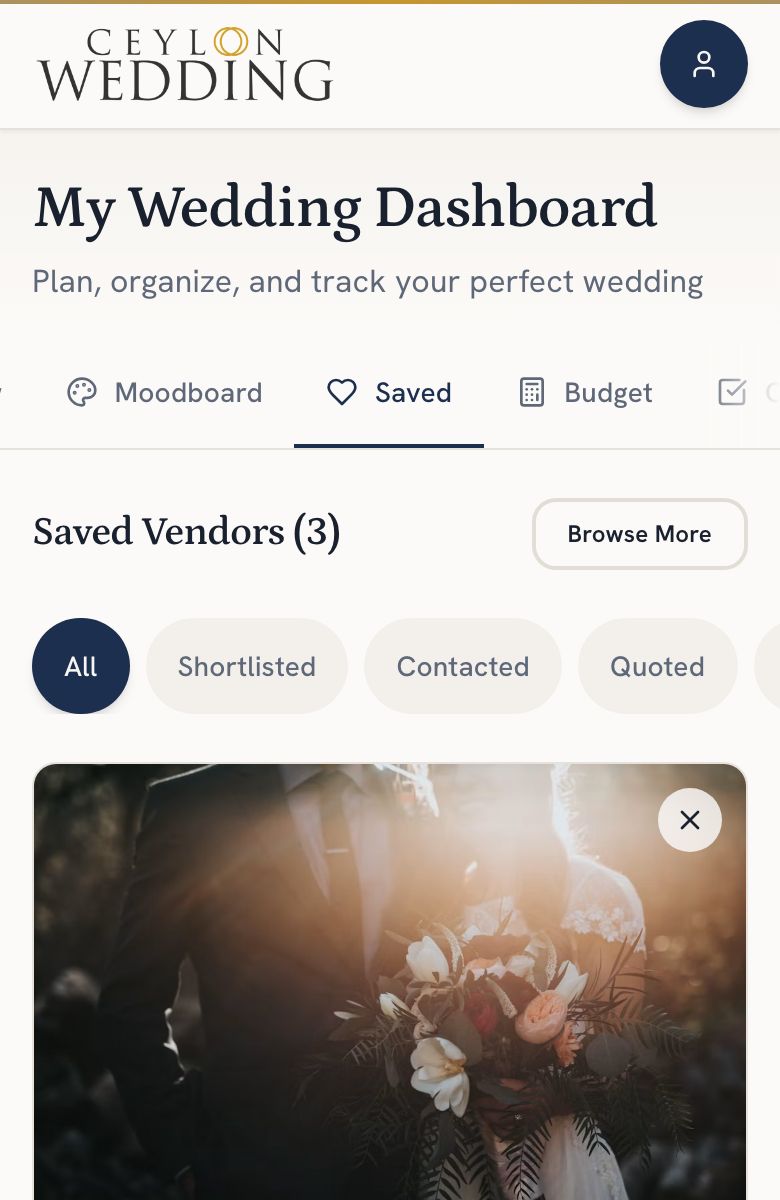
The four stages
- Shortlisted: you are comparing options.
- Contacted: you have reached out. A WhatsApp tap, a call or a sent enquiry sets this for you.
- Quoted: you have a price. Write it in, and the deposit once you pay one.
- Booked: you chose them. Their quoted price now counts in your budget, and the Budget tab is where you record each payment.
Your quoted price, deposit and notes stay private. A vendor never sees them.
What a vendor does see is a count: how many couples have them shortlisted, in touch, quoted and booked. A count of one or two is hidden from them, and your name is only shown once you mark them Booked, because at that point you have chosen them.
If a vendor later leaves the directory, your notes stay.