Planners and your account
How do I invite my wedding planner?
From the Overview tab on your dashboard, create an invite link and send it to your planner. It works for seven days. They open it, and they are in your dashboard, editing the same plan you see.
Your planner works inside your dashboard, not in a separate tool. You invite them with a link.
Step by step
- Open your dashboard. On the Overview tab, scroll to the Wedding planner card.
- Tap Invite a planner. A link is created and copied for you.
- Send it to your planner on WhatsApp or by email. It stays valid for seven days.
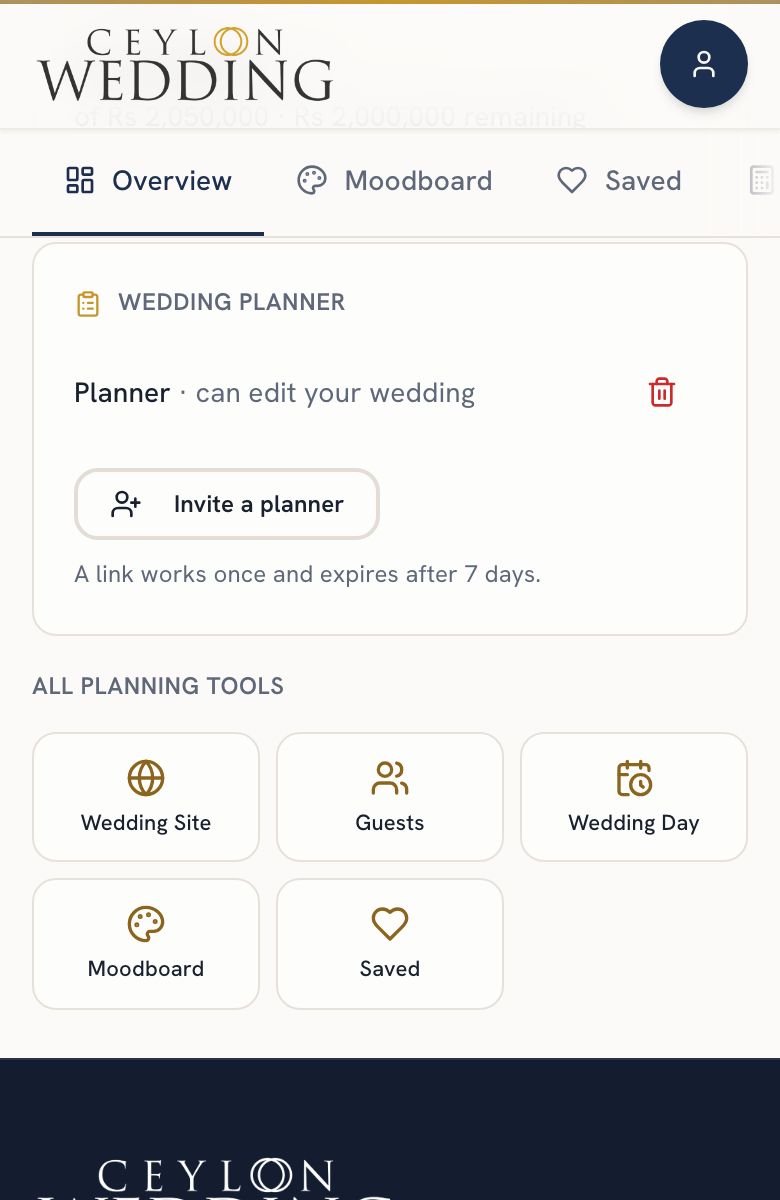
Until it is used, the invite shows in the same card with the days remaining, and you can cancel it. An unused link is real access, so it should be revocable.
If your planner cannot accept it yet, nothing is lost. The link stays open for its seven days and works the moment they can take another couple.
What a planner can and cannot do
- Can edit: the checklist, the budget, the guest list, the run sheet and menu, and the page content.
- Cannot: publish or unpublish your page, change its address, set the cover photo, or invite anyone else.
- Looking at your guest list does not clear your new responses count. That news stays yours.
Either of you can end it. You remove them from the same card; they can remove themselves.
If your planner connects Google Drive, a planning sheet of your wedding appears on the Overview tab, kept in their Drive and shared with you. See What is the planning sheet?.