Planners and vendor accounts
I am a planner. How do I get into a couple's dashboard?
The couple invites you. They create a link from their dashboard, valid for seven days; you open it while signed in and you are in. Your account becomes a planner account, with a list of every couple you work with, and you can still hold a listed business.
You cannot ask for access. The couple sends it, from the planner section on their dashboard's Overview tab.
Accepting an invite
- Sign in, or sign up as a planner if you have no account yet.
- Open the link the couple sent you. It works for seven days from when they made it.
- You land in their dashboard, headed with their names so it is clear whose wedding you are editing.
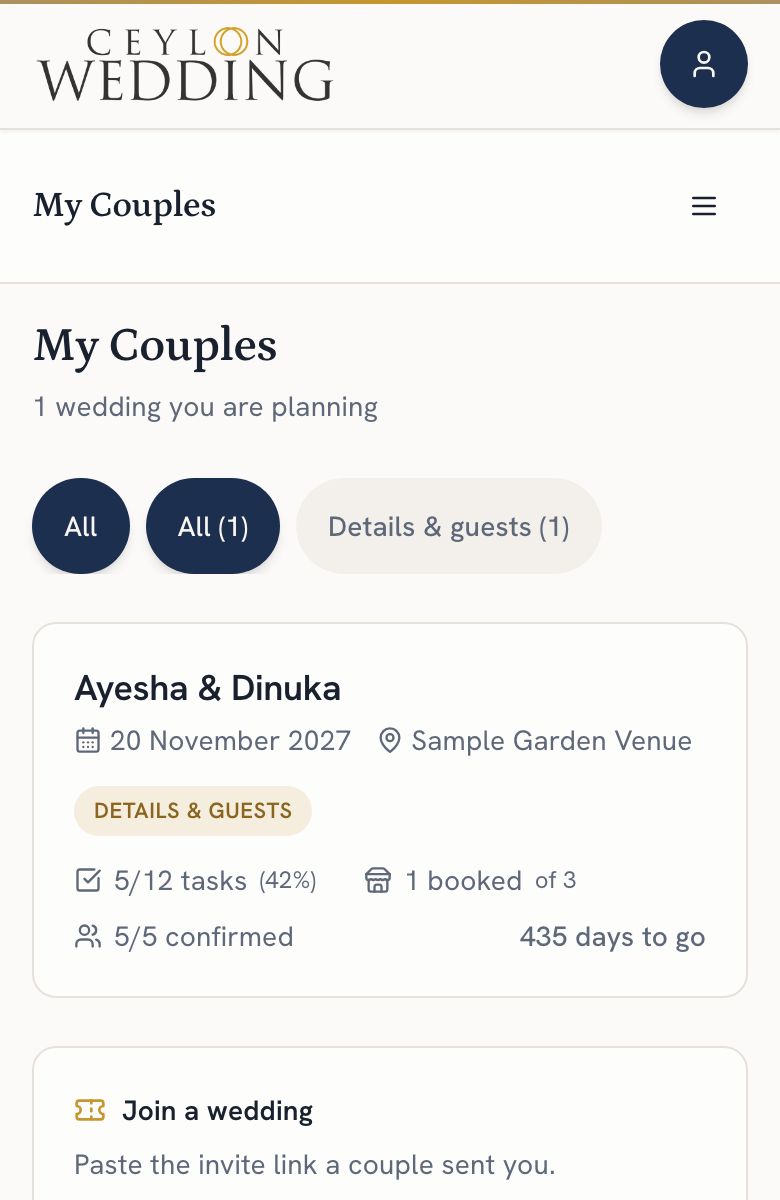
My Couples, from the account menu, lists every wedding you have access to, soonest first, with the date, the venue, checklist progress and how many guests have confirmed.
What you can edit
The checklist, the budget, the guest list, the wedding day schedule, and the page content. Publishing the page, its address, the cover photo and inviting other people stay with the couple.
Access a couple has given you is never taken away, whatever happens to a membership.
A planner account can also hold a listing in the Planners category, so the same account can carry your public profile and your client list. Either side can end access at any time.
Connect Google Drive from My Couples and each couple you work with gets a planning sheet in your Drive. See How do I connect Google Drive?.